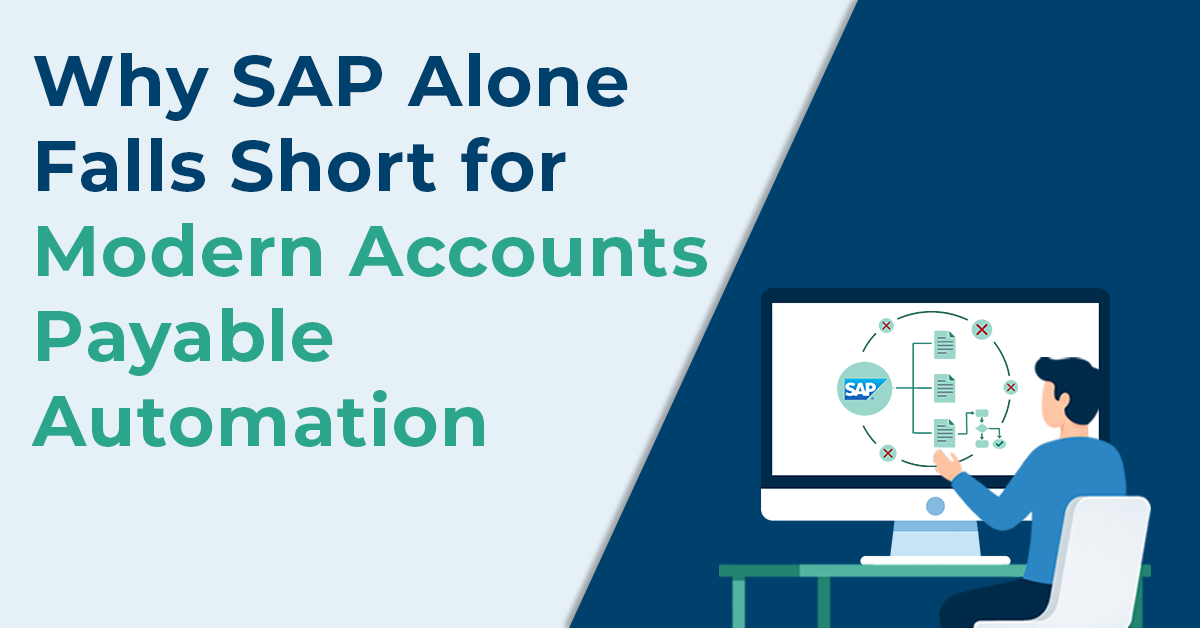
While SAP remains one of the most powerful Enterprise Resource Planning (ERP) platforms, relying on SAP Accounts Payable (AP) alone can limit efficiency, visibility, and scalability. Recent industry benchmarks clearly highlight the gap. Manual invoice processing still costs between $12 and $30 per invoice and typically takes 5–15 days to complete.
In contrast, SAP AP automation integrated with third-party platforms can reduce costs to $2–$5 per invoice, with turnaround times of just 1–3 days. Despite this difference, many organizations using SAP ECC, SAP S/4HANA, or SAP Business One (SAP B1) continue to rely on manual workarounds, highlighting persistent SAP limitations in modern AP.
SAP’s core Accounts Payable SAP(FI-AP) was designed in an era when finance operations looked very different. Invoices were largely paper-based, approvals followed rigid hierarchies, and reporting cycles were monthly or quarterly. The system excelled at control and compliance but not at speed or adaptability. To reduce manual touchpoints and increase end-to-end visibility across the invoice lifecycle, many enterprises now adopt SAP-agnostic accounts payable automation solutions as part of broader AP digital transformation initiatives, particularly as businesses look to digitize accounts payable to improve speed, accuracy, and control.
This gap between SAP’s strengths and modern AP requirements is what the rest of this blog will unpack, with practical steps AP teams can take to address it.
What Role does SAP Play in Accounts Payable?
SAP Accounts Payable (FI-AP) and Materials Management (MM) are core financial modules designed for Invoice Processing. It serves as the system of record for AP transactions, ensuring financial accuracy, compliance, and audit readiness across the organization.
Key advantages of SAP in Accounts Payable include:
- Accurate general ledger postings with tight integration between invoices, taxes, and financial reporting.
- Centralized vendor master data management, reducing duplication and payment errors.
- Strong compliance and audit trails, with full visibility into invoice history and approvals.
- Support for complex, global finance structures, including multiple entities, currencies, and tax regimes.
- Ability to Record and post incoming invoices from multiple sources (paper, PDF, electronic formats) directly into the financial system.
- Invoice parking and posting functionality, allowing invoices to be reviewed and approved before financial posting.
- Automatic application of tax codes and accounting rules, aligned with the organization’s chart of accounts and statutory requirements.
- Standardized payment processing, including bank transfers, checks, and electronic payments via SAP’s payment programs.
What are the Key Limitations of SAP in Accounts Payable?
While SAP provides strong control and financial integrity, its accounts payable processes rely heavily on rigid configuration and customization. This delivers governance but creates friction for AP users operating in high-volume, fast-moving environments.
Industry assessments highlight how even simple AP scenarios become complex to manage when handled within SAP alone because of:
1. Configuration and Customization Dependency
SAP relies on predefined rules and ABAP development for AP changes, making everyday process changes slow and IT-dependent.
Consequence: AP teams cannot adapt quickly to volume spikes or policy changes, leading to delays and workarounds.
2. Rigid Workflow and Approval Routing
Invoice routing and approvals are tightly configured, often requiring technical changes even for simple value-based or exception-based routing.
Consequence: Approval bottlenecks increase, cycle times stretch, and early-payment discounts are frequently missed.
3. Lack of Intelligent OCR and AI-Driven Automation
SAP ECC (Legacy Systems) invoice data extraction is largely rules-based and does not natively adapt or improve over time. While OCR is available through add-ons, it lacks self-learning capabilities for recognizing new layouts, handling free-text fields, or automating exception resolution.
Consequence: Manual data entry remains high, limiting touchless processing and making automation difficult to scale.
4. Limited Invoice Ingestion Capabilities
SAP struggles to natively ingest and normalize invoices across unstructured formats, including PDFs, scanned paper invoices, emailed invoices, and regional e-invoicing formats such as EDI, XML, and Peppol.
Consequence: Many AP teams still run invoice processes on patchwork solutions such as manual work, custom SAP code, and multiple tools, making AP expensive, complex, and consultant dependent.
5. Inefficient and Slow Processing
Invoices in SAP often experience idle time due to approval delays and manual handoffs across configured workflows.
Consequence: Invoice cycle times increase, month-end and year-end closures are delayed, and finance teams lack real-time visibility into upcoming payment obligations and cash flow.
6. Manual Exception Handling
SAP requires significant human intervention for invoice validation and 2-way and 3-way matching exceptions.
Consequence: Processing slows down, exceptions pile up, and AP teams spend more time managing issues than moving invoices forward.
7. User Experience Friction
Routine AP tasks require navigating multiple screens and transaction codes.
Consequence: Productivity drops, training time increases, and error rates rise.
8. Lack of Real-Time Visibility
Although SAP stores large volumes of AP data, turning that data into real-time insights is limited without additional reporting components. Hence, making invoice compliance and audit readiness harder to maintain at scale.
Consequence: AP teams react to issues late instead of managing workloads proactively.
9. Upgrade and Maintenance Burden
Custom workflows and configurations increase complexity during upgrades to SAP S/4HANA migrations.
Consequence: Innovation slows, and IT risk and cost increase over time.
How does Modern AP Automation Complements SAP?
Modern accounts payable automation platforms are designed to work alongside SAP, not replace it. SAP remains the system of record for financial posting and compliance, while automation platforms manage execution through secure SAP integration.
Integrating AP automation enables AP workflow automation without disrupting SAP controls capabilities commonly found in modern vendor invoice management solutions.
Modern AP automation complements SAP by enabling:
- Faster invoice processing through AI-driven capture and automated workflows
- Dynamic approval routing without heavy configuration or IT dependency
- Reduced manual effort by automating 3-way matching, validation, and exception handling
- Real-time visibility into invoice status, bottlenecks, and payment readiness
- Lower processing costs by reducing human touchpoints and rework
These capabilities closely reflect what organizations look for when evaluating modern vendor invoice management solutions.
Conclusion: SAP Is Essential, but Not Sufficient
SAP continues to serve as the authoritative financial backbone for posting and compliance. However, today’s AP environment, automation within SAP is largely configuration-driven, limited in scope, and difficult to scale as volumes, formats, and business demands grow.
Modern AP automation does not replace SAP; it complements it. By extending SAP with intelligent automation, finance teams can retain governance while achieving faster processing, lower costs, and greater operational agility. For modern AP, SAP is essential but on its own, it is no longer enough.
FAQs: SAP and Modern Accounts Payable
No. SAP is excellent for financial posting and accounting but lacks advanced invoice capture, AI-driven automation, and end-to-end invoice lifecycle management required for modern Accounts Payable.
SAP users need AP automation platforms to handle multi-format/multi-currency invoices, automate approvals, ensure regulatory compliance, reduce manual effort, and gain real-time visibility without heavy ERP customization.
Industry estimates suggest over 60% of SAP customers either already use or actively plan to implement AP automation or invoice processing middleware alongside SAP.
No. AP automation platforms do not replace SAP. They complement SAP by automating invoice processing while SAP remains the system of record for accounting and payments.
Key benefits include faster invoice processing, lower cost per invoice, reduced errors, built-in compliance, improved audit readiness, and faster return on investment.
AP automation platforms are designed to adapt quickly to country-specific e-invoicing mandates, manage structured formats, and integrate with tax authorities—capabilities that are limited in ERP-only setups.
SAP DRC focuses on reporting and statutory requirements but does not manage the full invoice lifecycle. AP automation platforms fill this gap by handling capture, validation, approval, and traceability.