- Introduction
- Why Do Most Businesses End Up Running Two Systems During Legacy Migration?
- Why Legacy Migration Falls Short When Processes Stay Divided
- Why the AP Process Gets Impacted the Most
- The Dual-Run Result:
- The Solution: An ERP-Agnostic Automation Layer
- Introducing Compleo Invoice Platform (CIP): AP Automation Built for Migration
- FAQS
Introduction
Most companies embark on a legacy-to-cloud migration with clear expectations: faster processing times, reduced operational friction, and significant cost savings. Many end up running two systems for months longer than planned, doubling maintenance costs. In fact, maintaining existing legacy infrastructure often consumes between 60% and 80% of an organization’s IT budget.
The problem is not migration but the split. Getting “stuck” halfway through the transition creates a permanent hybrid state that actively drags business performance down. When a legacy system stays active alongside a new cloud environment, it becomes a parallel system, pulling resources, duplicating data, and slowing down the decisions your business needs to move forward.
This blog breaks down what legacy-to-cloud migration actually costs when processes stay fragmented across two environments.
Why Do Most Businesses End Up Running Two Systems During Legacy Migration?
Legacy migration rarely happens with a “big bang cutover,” where you shut down the old system and turn on the new one overnight, which is often too risky. Most businesses migrate their most critical processes first, e.g., finance, reporting, and compliance-sensitive workflows, while the rest continue running on the legacy system.
This is the operational reality of legacy software modernization; it forces organizations into a parallel system approach rather than a clean transition. A 2026 cloud migration market report found that 41% of migrations stall due to readiness gaps, not technology. It requires the business to maintain two disconnected environments at the exact same time, setting the stage for operational friction.
This is precisely why you should ideally prioritize AP automation during your SAP migration rather than wait for the IT transition to be completed.
Why Legacy Migration Falls Short When Processes Stay Divided
Treating this dual-run setup as a normal part of the transition does more than just frustrate your IT team. It creates operational debt that compounds daily across every department. Here is where businesses feel it most.
- Data Silos: Data fragmentation sets in the moment legacy and cloud environments are forced to share a process. The same invoice, purchase order (PO), or vendor record exists in two places with two different versions. This causes duplication and reconciliation errors. On average, finance teams lose about 26 hours per month simply chasing and assembling data across systems.
- Manual Data Re-Entry: With no native data exchange between systems, employees manually re-enter information. This makes it time-consuming and error prone. This means entering GRN and invoice data twice, a problem that automated MIGO creation eliminates entirely.
- No Systematic Approval Workflow: Approvals don’t follow a clean path when processes span two environments. There is no unified routing, no automatic escalation, and no visibility into where an approval is stuck.
- The Financial Drain of Double Systems: Running two systems means paying for two. Licensing, infrastructure maintenance, and IT staffing costs double the burden. Every additional week of dual-system operation adds cost.
- Shadow Systems: When official systems fail to communicate, teams stop relying on either one. They fall back on offline spreadsheets, creating unauthorized shadow systems that operate completely outside official business processes.
- Compliance Risks and Audit Risks: Auditors require a clear, unbroken record of every transaction. 42% of CFOs cite siloed invoice data across ERPs as a top challenge, making audit trails hard to trust. Invoices processed in a legacy system and postings in SAP create separate records with no synchronization, breaking that trail entirely.
Why the AP Process Gets Impacted the Most
While every department feels the friction of a phased migration, Accounts Payable (AP) bears the heaviest burden. AP workflows are inherently cross-functional, requiring constant interaction with procurement, supply chain, and finance. When these departments are split between two systems, the invoice lifecycle completely breaks down.
A Day in the Life of a Divided AP Team: What This Looks Like in Practice
A manufacturer moving from a legacy system to cloud-based ERP, for instance, may go live with financial posting first while PO and goods receipts (GRN) still run on a legacy system still running core operations.
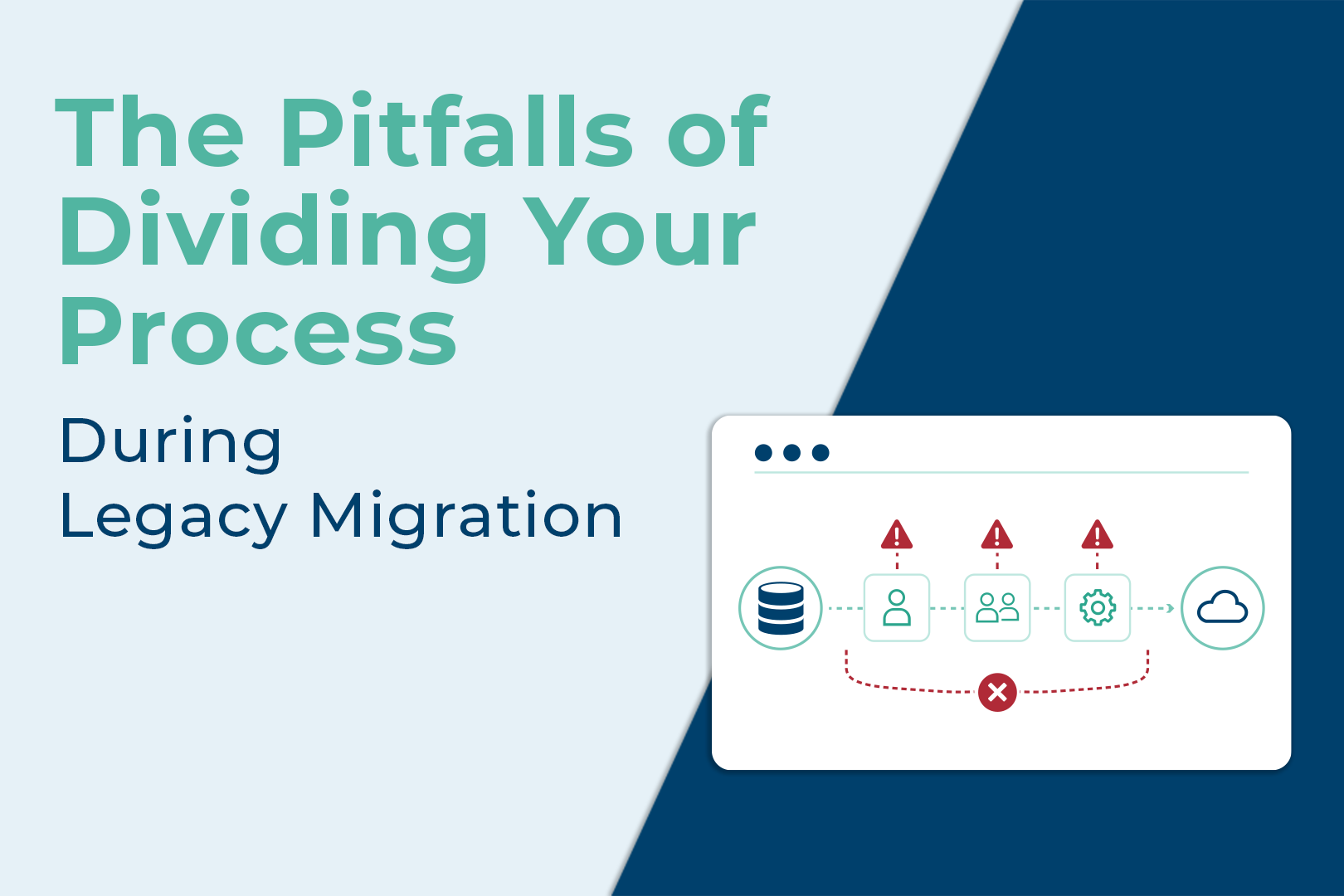
Because the software cannot communicate directly, this fragmentation creates a chaotic, multi-channel workflow:
- Disconnected PO Management: The Legacy system generates and stores the original POs.
- Untracked Approval Routing: The approval request goes out over email because no system routes it automatically.
- MIRO Creation: After approval, the AP team manually re-enters the full invoice data into SAP via MIRO for financial posting, entering the same information that already exists in the legacy system.
The Dual-Run Result:
- Zero invoice visibility: No one can see outstanding liabilities until the end of the manual process.
- Delayed approvals: Invoices get easily lost in cluttered email inboxes, leading to late vendor payments.
- Compounding Error Risk: Every manual re-entry into MIRO is a new opportunity for mismatches, duplicate payments, and reconciliation delays.
Don’t let your finance team get trapped in dual-run chaos. Download our free Accounts Payable Automation Checklist for SAP S/4HANA Migration to guarantee a disruption-free transition.
The Solution: An ERP-Agnostic Automation Layer
The chaos of a dual-run AP environment does not resolve itself; it needs an action. Rather than forcing teams to work harder across disconnected systems, organizations need an ERP-agnostic accounts payable solution that resides above both environments.
Using a strangler pattern approach, businesses can keep AP running smoothly while IT retires legacy components incrementally. A true accounts payable automation solution handles the complexity of a legacy system and a new cloud-based ERP simultaneously, doing the heavy lifting for your finance team because it:
- Connect both systems: Integrates your legacy system and new ERP (SAP, MS Dynamics, and NetSuite) so invoice data flows automatically without manual re-entry.
- Centralize invoice processing: One secure interface for all invoice receiving and processing, no shared drives, no email chains, no screen switching
- Standardize approval workflows: Routes approvals to the right decision-makers instantly, keeping business rules consistent across both environments.
- Maintain audit trails: Logs every action, edit, and approval in real time, ensuring financial data stays compliant and audit-ready throughout the transition.
Not sure whether SAP-native or a standalone AP automation solution is the right fit for your migration? This CFO decision guide breaks it down.
Introducing Compleo Invoice Platform (CIP): AP Automation Built for Migration
CIP acts as the intelligent automation layer your finance team needs during a phased transition. By connecting your legacy system to modern cloud-based ERP environments, CIP pulls your divided AP workflows into one unified dashboard. It automates data entry and standardizes approvals and eliminates the chaos of the dual-run phase, giving complete visibility from day one.
Book a Demo and See How CIP Simplifies Your SAP Migration.
FAQS
Yes. A true ERP-agnostic AP automation platform connects seamlessly to both legacy systems and modern cloud ERPs simultaneously.
No. A common best practice is keeping historical data archived in the legacy system while routing new invoices through the automation layer.
Highly recommended. Modernizing AP processes during an SAP migration stabilizes financial workflows.
It depends on organizational size and data complexity. A phased migration takes anywhere from several months to over a year.
An incremental approach minimizes operational downtime and reduces the risk of “big bang” interruptions. It allows businesses to maintain continuity while systematically upgrading isolated modules and minimizing workflow disruptions.
Phased migration is a step-by-step transition where enterprise applications move to a modern cloud environment in sequential stages. Organizations operate a parallel system, keeping the legacy system active for specific functions while new cloud modules go live.
Audit your existing architecture and map all system dependencies. Prioritize high-value, low-dependency workflows like finance or AP first. Use the strangler pattern to incrementally retire legacy modules without disrupting daily operations.
Audit and cleanse data before migration to prevent carrying bad records into the new system. Deploy an ERP-agnostic automation solution early so AP workflows remain stable across both environments throughout the transition.