- What Is GL Coding in Accounts Payable?
- GL Coding Examples in Accounts Payable
- 3 Common GL Coding Mistakes in Manual Accounts Payable
- Manual vs. Automated GL Coding
- How Automated GL Coding Works: 3 Core Approaches
- Benefits of Automated GL Coding for Finance Teams
- How Symtrax Compleo Invoice Platform (CIP) Solves GL Coding
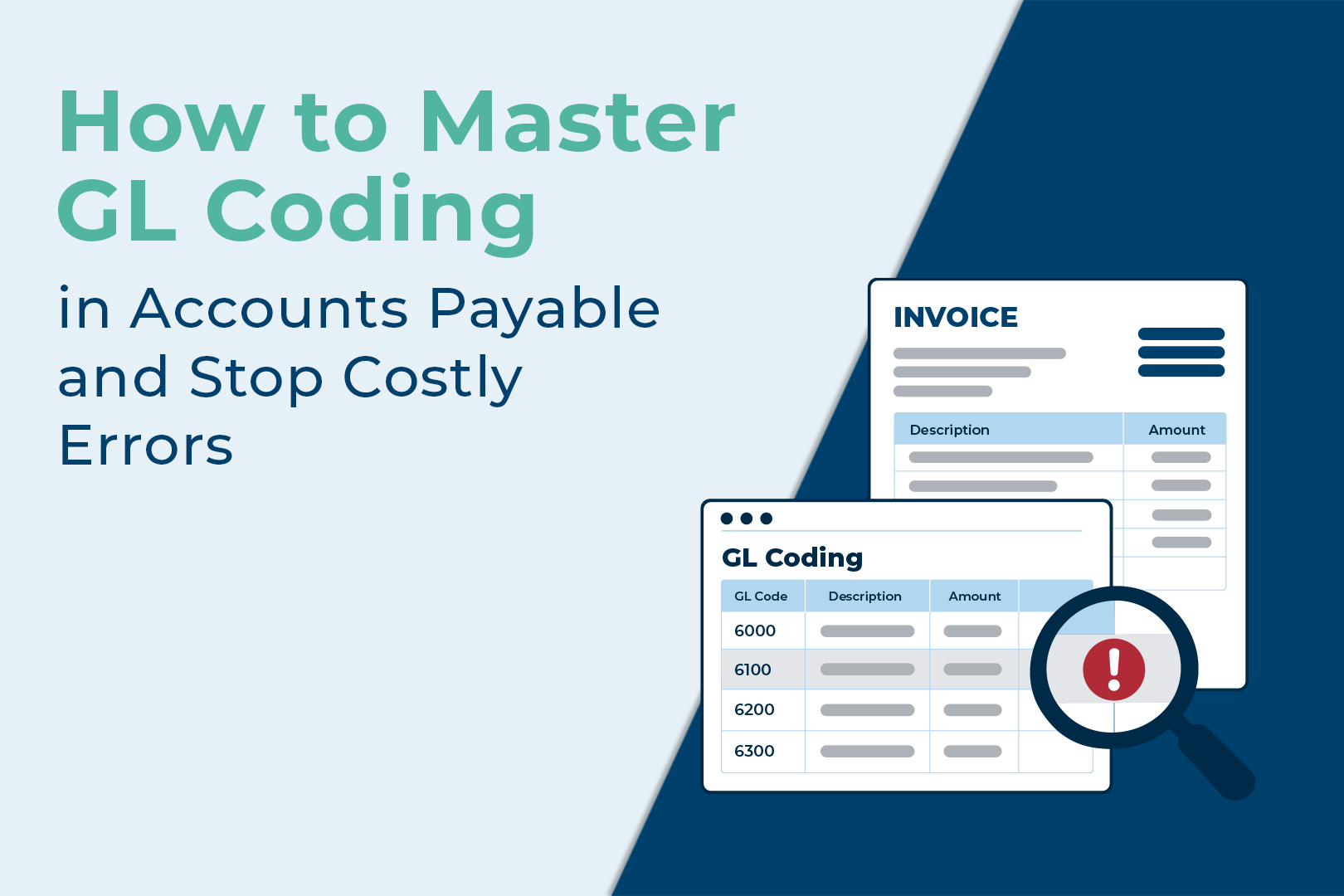
Coding errors are a leading cause of reconciliation delays, budget disputes, and audit adjustments in high-volume finance teams. Imagine discovering at month-end that your marketing department is $40,000 over budget only to find out the team never spent that money. Instead, an accounts payable (AP) clerk typed an expense code that routed an IT server invoice to the marketing general ledger (GL) account instead.
Manual GL coding is slow and error-prone and drives up the hidden costs of manual invoice processing. Industry research puts manual miscoding rates as high as 5–10% of invoices, meaning a team processing 1,000 invoices a month can expect 50 to 100 miscoded invoices posted to the wrong account.
Get GL coding wrong, and budgets derail; automate it, and your month-end close runs smoothly. Here is how GL coding works, the common mistakes to avoid, and how assisted automation keeps you audit-ready.
What Is GL Coding in Accounts Payable?
General ledger coding or GL coding in accounts payable is the process of labeling every line on a vendor invoice with a specific account number from your company’s chart of accounts.
Think of your GL as five main cabinets: assets, liabilities, equity, revenue, and expenses. GL coding tells your accounting software which drawer each dollar goes to. Each cabinet has dozens or hundreds of sub-drawers (cost centers, department codes, project tags, and tax jurisdictions), and coding becomes a complex sorting exercise.
On paper, it’s simple. Most AP tools predict accounts from your history, but few validate before posting. That gap between prediction and validation is where coding problems start and where automation must step in.
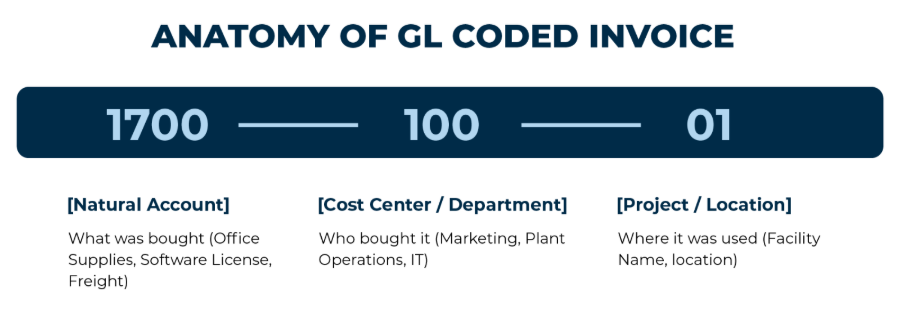
How GL Coding & Cost Centers Work: The Anatomy of a Coded Invoice
Every coded invoice line carries three pieces of information:
- Natural Account: what was bought (office supplies, software license, freight)
- Cost Center / Department: who bought it (Marketing, Plant Operations, IT)
- Project / Location: where it was used (Facility Name, location)
PO vs. Non-PO Invoice Coding
Coding effort depends on invoice type:
- PO Invoice Coding: These arrive with a purchase order (PO) already attached as part of the three-way matching process, meaning the GL account, cost center, and project are pre-assigned before the invoice even hits AP. The coding decision is largely made; the team just confirms and posts.
- Non-PO Invoice Coding: Recurring expenses (utilities, consulting fees, and ad-hoc supplies) have no PO. Teams code from scratch using vendor history and judgment. Without a PO reference, these invoices carry higher error risk and need validation rules.
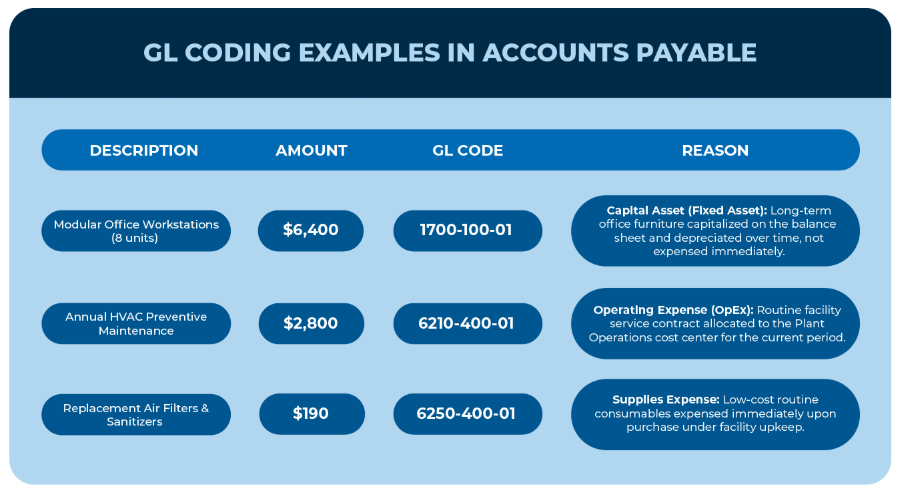
GL Coding Examples in Accounts Payable
3 Common GL Coding Mistakes in Manual Accounts Payable
These 3 invoice coding errors show up in almost every AP department that’s still coding by hand:
- Mismatched Cost Centers: An IT invoice gets assigned to Plant Operations instead. One department looks over budget; another looks artificially lean, creating friction during budget reviews.
- Inconsistent Split Coding: When a vendor invoice spans several locations or business units, two different clerks might split the expense using completely different ratios. Without standardized rules, split coding in accounts payable quickly becomes messy and unreliable.
- Using Inactive or Deprecated Accounts: Staff accidentally pick retired account codes from a dropdown. These outdated numbers often slip past manual checks until they collide with your ERP.
Manual vs. Automated GL Coding
| S.No. | Attribute | Manual GL Coding | Automated GL Coding |
| 1. | Data Entry | Manual data entry | AI-powered, intelligent, rule-based capture |
| 2. | Accuracy Rate | Prone to typos (5%–10% error rate) | High accuracy via master data checks |
| 3. | Approval Speed | Slow; delayed by manual cross-checks | Fast; routed by department rules |
| 4. | Exception Handling | Fixed reactively during month-end close | Flagged proactively before posting |
How Automated GL Coding Works: 3 Core Approaches
Modern GL coding automation works three ways, and most solutions use a mix:
- Rule-Based Coding: Set rules once (e.g., “all Vendor X invoices under $500 → Office Supplies”), and the system applies them consistently. No variation, no guesswork.
- AI-Suggested Coding: This is where AI and ML for invoice processing comes in. The system learns from your coding patterns. When a new invoice arrives, it proposes the GL code based on vendor, amount, and department history. New vendors get flagged for quick human review.
- Built-In Validation Before Posting: The system checks lines against price history, tax rules, and prior payments for duplicates all before assigning a code. Bad data never reaches the GL.
Benefits of Automated GL Coding for Finance Teams
Automating GL coding does far more than replace manual data entry, it fundamentally changes how your finance team operates
- Financial statements stay trustworthy: When every line is in the right account, your income statement and balance sheet reflect reality, not guesswork.
- Approval routing gets faster: Finance can track spend by department, project, or cost center in real time, so approvals don’t get stuck waiting for clarity.
- Fraud and duplicates get caught early: Clean coding paired with validation workflows flags anomalies before they post.
- Simpler Audits and Cleaner Compliance: A traceable audit trail of every code decision means auditors spend time on strategy, not chasing down manual corrections.
- Month-end close actually closes: Teams review financials instead of spending two days reversing bad codes and reposting lines.
How Symtrax Compleo Invoice Platform (CIP) Solves GL Coding
Organizations processing over 5,000 invoices annually hit a limit with manual validation.
Compleo Invoice Platform (CIP) predicts accounts from your history and validates line items against your ERP master data before posting. For multi-entity operations, it maintains consistent GL codes, cost centers, and project codes across systems, flagging unmapped exceptions for review before posting.
To see how assisted validation works inside your existing ERP environment, explore the Compleo Invoice Platform workflow.